External GPU Compatibility Guide for PCs & Laptops
External GPUs, or eGPUs, are portable devices that connect to laptops or PCs externally, enhancing their graphics performance. They offer flexibility for users who need more powerful graphics capabilities on their thin and light laptops.
In this guide, we will explore what eGPUs are, how they compare to traditional GPUs, and how to determine if your laptop is compatible with an eGPU. We will also provide a checklist to help you check the compatibility of your GPU.
Key Takeaways:
- External GPUs, or eGPUs, connect to laptops or PCs externally to enhance graphics performance.
- eGPUs offer flexibility for users with thin and light laptops who need more powerful graphics capabilities.
- It is important to determine if your laptop is compatible with an eGPU before purchasing one.
- We provide a checklist to help you check the compatibility of your GPU.
- eGPUs can future-proof your system and offer versatility for multiple computers.
What is an eGPU?
An eGPU, or external GPU, is a graphics card housed in an enclosure that connects to a laptop or PC externally. It provides desktop-level gaming performance and graphics capabilities to laptops with integrated GPUs. The eGPU connects to the laptop or PC via Thunderbolt ports or USB4 Type-C ports. These ports offer high-speed data transfer and power delivery, allowing the eGPU to function independently. The eGPU enclosure contains the graphics card and often includes an external power adapter to provide power to the GPU.
Advantages of Using an eGPU
Using an eGPU offers several advantages. First, it enhances the graphics performance of your laptop or PC, allowing for smoother gameplay and faster rendering of graphics-intensive tasks. With an eGPU, you can enjoy enhanced visuals, higher frame rates, and improved overall gaming experience. Whether you’re indulging in the latest AAA titles or tackling resource-intensive projects, the power of an eGPU can unlock the full potential of your system.
eGPUs also future-proof your system, providing a cost-effective and versatile solution. Unlike traditional GPUs that may require you to replace the entire computer when upgrading, an eGPU allows you to easily upgrade the graphics card alone. This means you can keep up with the latest advancements in graphics technology without breaking the bank.
Moreover, an eGPU offers versatility, enabling you to use it with multiple computers as long as they have compatible ports. This means you can seamlessly switch between devices and take advantage of the enhanced graphics performance wherever you go. Whether you’re working on a laptop during the day or gaming on a desktop at night, the eGPU can adapt to your needs.
Installing an eGPU is relatively easy, making it accessible to users with minimal technical knowledge. With plug-and-play functionality, you can quickly set up and start enjoying the benefits of enhanced graphics performance. No complicated configurations or driver installations required. Simply connect the eGPU to your laptop or PC, and you’re ready to go.
“The eGPU provides a convenient and efficient way to boost your graphics performance, making it an ideal choice for gamers, content creators, and professionals who rely on graphics-intensive applications.”
To illustrate the advantages of using an eGPU, here is a comparison of enhanced graphics performance between a laptop with integrated graphics and a laptop with an eGPU:
| Laptop with Integrated Graphics | Laptop with eGPU | |
|---|---|---|
| Graphics Performance | Limited by the capabilities of the integrated GPU | Significantly enhanced with the power of an external graphics card |
| Gaming Experience | Lower frame rates, reduced visual quality | Smooth gameplay, high frame rates, improved visual quality |
| Rendering Speed | Slower rendering of graphics-intensive tasks | Faster rendering, accelerated performance for resource-intensive tasks |
| Upgradeability | Limited upgrade options for integrated graphics | Easily upgrade the graphics card for improved performance |
| Versatility | Restricted to the capabilities of the integrated GPU | Compatible with multiple devices, portable performance enhancement |
As demonstrated in the table, using an eGPU provides significant advantages in terms of graphics performance, gaming experience, rendering speed, upgradeability, and versatility. With an eGPU, you can future-proof your system, enhance your visuals, and take your gaming or professional work to new heights.

Determining eGPU Compatibility
To determine if your laptop or PC is compatible with an eGPU, you need to check if it has Thunderbolt 3 or USB-C ports with support for external graphics. Most modern eGPU enclosures connect via Thunderbolt 3, but some also work with Thunderbolt 2. It is important to note that not all laptops or PCs have Thunderbolt or USB-C ports, so compatibility may vary. Checking your computer’s specifications and compatibility before purchasing an eGPU is crucial.
| Port Type | eGPU Compatibility |
|---|---|
| Thunderbolt 3 | High compatibility; most eGPU enclosures require Thunderbolt 3 for connection. |
| USB-C | Some eGPU enclosures are compatible with USB-C, providing a more diverse range of options for users without Thunderbolt 3. |
| Thunderbolt 2 | Limited compatibility; older eGPU enclosures may support Thunderbolt 2 connection, but it is less common. |
It is crucial to ensure that your laptop or PC has the necessary ports for eGPU compatibility. If your device lacks Thunderbolt 3 or USB-C ports, you may need to explore alternative options or consider upgrading to a compatible system. Additionally, checking the system requirements and compatibility recommendations of specific eGPU enclosures is recommended to ensure a smooth and hassle-free setup.
eGPU Compatibility Checklist
Before investing in an eGPU, it’s essential to ensure compatibility with your system. Use the following checklist to determine if your GPU and enclosure are compatible:
- Check your computer’s Thunderbolt or USB-C ports: Verify that your laptop or PC has Thunderbolt 3 or USB-C ports with support for external graphics. These ports are essential for connecting the eGPU enclosure.
- Research GPU enclosure compatibility: Different eGPU enclosures may have specific compatibility requirements. Make sure your chosen GPU enclosure supports your desired GPU model and size.
- Consider power supply requirements: Ensure that your eGPU enclosure includes an adequate power supply to support the GPU’s power demands.
- Verify PCIe slot compatibility: If you plan to upgrade the GPU in the future, ensure that the eGPU enclosure has a standard PCIe slot that can accommodate different GPU models.
- Check cooling and airflow: Review the cooling capabilities of the eGPU enclosure to ensure optimal performance and prevent overheating.
- Consider Mac compatibility: If you’re using a Mac computer, check if the eGPU and GPU enclosure are specifically designed for Mac compatibility.
By following this checklist, you can choose an eGPU setup that is compatible, reliable, and meets your specific needs.
Performance Considerations with eGPUs
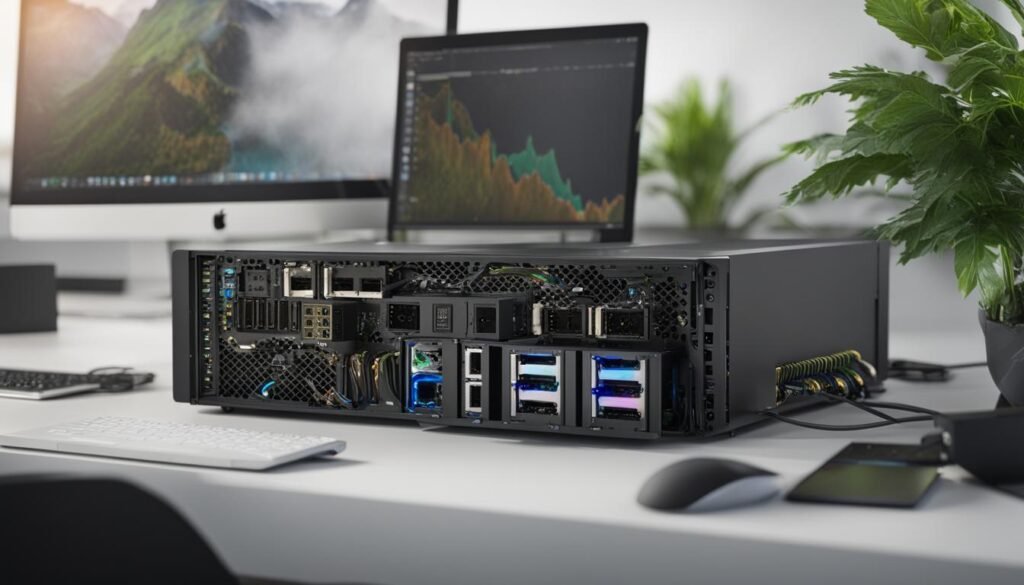
When using an eGPU, several performance factors need to be taken into consideration to ensure optimal performance. The bandwidth of Thunderbolt 3, which is commonly used to connect eGPUs, can have an impact on the overall performance. Thunderbolt 3 has a limited bandwidth of 4 PCIe lanes, which may create a bottleneck for some GPUs with higher PCIe lane requirements.
Additionally, the performance of an eGPU can also be influenced by the CPU and RAM of the laptop or PC it is connected to. A powerful CPU can help improve overall system performance and prevent potential bottlenecks, while having sufficient RAM ensures smooth and efficient data processing.
Although an eGPU may not match the performance of a desktop GPU, it can still outperform most mobile GPUs, providing a significant boost to the graphics capabilities of laptops and PCs.
eGPU Performance Factors:
- Thunderbolt 3 Bandwidth: The limited bandwidth of Thunderbolt 3 may restrict the performance of GPUs with higher PCIe lane requirements.
- CPU Power: A powerful CPU can enhance overall system performance and prevent potential bottlenecks when using an eGPU.
- RAM Capacity: Sufficient RAM ensures smooth and efficient data processing, improving the performance of the eGPU.
In order to determine the best eGPU performance for your specific needs, it is recommended to consider the specifications of your laptop or PC, the requirements of the GPU you plan to use, and the potential impact on the overall system performance.
“The performance of an eGPU can be impacted by various factors, including Thunderbolt 3 bandwidth limitations, CPU power, and available RAM capacity. Understanding these performance considerations is crucial for maximizing the graphics capabilities of your laptop or PC.”
| eGPU Performance Factors | Description |
|---|---|
| Thunderbolt 3 Bandwidth | The limited bandwidth of Thunderbolt 3 can create a bottleneck for GPUs with higher PCIe lane requirements. |
| CPU Power | A powerful CPU helps improve system performance and prevents potential bottlenecks when using an eGPU. |
| RAM Capacity | Sufficient RAM ensures smooth and efficient data processing, enhancing the performance of the eGPU. |
Upgrading Graphics Card in the eGPU
Most eGPU enclosures allow for the upgrade of the graphics card. They typically use a standard PCIe slot, allowing you to swap out the graphics card for a newer or more powerful model when needed. However, it is important to ensure compatibility between the eGPU enclosure and the graphics card before making any upgrades. Each eGPU enclosure may have specific requirements or limitations regarding the graphics card that can be used.
| eGPU Enclosure | Compatible Graphics Cards |
|---|---|
| Razer Core X | NVIDIA GeForce RTX 30 Series AMD Radeon RX 6000 Series |
| Sonnet eGFX Breakaway Box | NVIDIA GeForce GTX 10 Series AMD Radeon RX 5000 Series |
| ASUS ROG XG Station Pro | NVIDIA GeForce RTX 20 Series AMD Radeon RX Vega Series |
Before purchasing a new graphics card for your eGPU, refer to the manufacturer’s guidelines or specifications to determine which graphics cards are compatible. It’s crucial to choose a graphics card that fits within the power and size constraints of your eGPU enclosure. Upgrading the graphics card can significantly improve the performance of your system and ensure compatibility with the latest games and applications.
“Upgrading the graphics card in an eGPU enclosure enables users to keep up with the latest graphics technologies and maximize their gaming or graphic-intensive work experience.”
Using eGPUs for Cryptocurrency Mining
eGPUs can be an excellent tool for cryptocurrency mining, providing increased mining power and efficiency. By connecting multiple eGPUs to a computer, miners can create a mining rig capable of handling complex cryptographic calculations more effectively.
When it comes to mining cryptocurrency, every bit of power and efficiency matters. The parallel processing capabilities of eGPUs can significantly boost mining performance, allowing miners to solve cryptographic puzzles and validate transactions more quickly than traditional GPU setups.
One of the advantages of using eGPUs for cryptocurrency mining is the ability to scale up mining power by adding more eGPUs to the system. This scalability allows miners to increase their mining capacity and potentially earn more rewards.
Nevertheless, it’s essential to consider the cost of electricity when engaging in cryptocurrency mining. The power consumption of multiple eGPUs running at full capacity can be significant and may impact the profitability of mining operations. Miners must carefully calculate their electricity costs and compare them to potential mining rewards to ensure a profitable endeavor.
Furthermore, it’s crucial to be aware of the potential wear and tear on the hardware when using eGPUs for mining. The continuous high-intensity usage of eGPUs can cause increased heat generation and put strain on the components. Miners should implement proper cooling solutions to ensure the longevity and reliability of their eGPUs.
Mining Efficiency Comparison
| GPU Type | Hashrate (MH/s) | Power Consumption (W) | Efficiency (MH/s per W) |
|---|---|---|---|
| NVIDIA GeForce GTX 1080 Ti | 40 | 250 | 0.16 |
| AMD Radeon RX 5700 XT | 55 | 200 | 0.275 |
| AMD Radeon VII | 90 | 300 | 0.3 |
The table above illustrates a comparison of mining efficiency between different GPU types commonly used in eGPUs. The efficiency is measured by the hashrate per watt of power consumed. As shown, the AMD Radeon VII offers the highest efficiency, providing 0.3 MH/s per watt, while the NVIDIA GeForce GTX1080 Ti has a lower efficiency of 0.16 MH/s per watt.
It’s crucial for miners to consider efficiency when selecting their eGPUs for mining purposes. GPUs with higher efficiency ratios can mine more cryptocurrency with less power consumption, resulting in higher profitability and returns on investment.
Using eGPUs for cryptocurrency mining can be a lucrative venture, but it’s essential to carefully consider factors such as electricity costs, heat management, and mining efficiency. Miners must strike a balance between power consumption, performance, and profitability to maximize their mining operations.
External GPUs with Multiple Monitors and VR Gaming
External GPUs offer an exciting opportunity for gamers and content creators to elevate their visual experience. One notable advantage is their support for multiple monitor setups, allowing users to create a more expansive and immersive display. Whether you need a dual-monitor setup for multitasking or a triple-monitor setup for panoramic gaming, external GPUs provide the necessary graphics power to drive multiple high-resolution displays simultaneously. With the ability to connect additional monitors, you can enhance productivity and immerse yourself in a larger canvas for work or play.
Virtual reality (VR) gaming is another area where external GPUs shine. VR gaming demands substantial graphics power to ensure smooth frame rates and high graphical fidelity. By connecting an eGPU to your computer, you can significantly enhance the VR gaming experience. External GPUs provide the necessary horsepower to drive demanding VR titles, enabling you to explore immersive virtual worlds with stunning visuals and minimal performance limitations.
“External GPUs with multiple monitors offer an expansive and immersive display, while also significantly enhancing the VR gaming experience.”
Unlocking Enhanced Visuals and Immersion
Connecting an external GPU allows you to harness the full potential of your graphics-intensive applications and games. With increased graphics power, you can enjoy visually stunning details, realistic lighting effects, and smooth gameplay. Whether you are a professional gamer seeking a competitive edge or a content creator looking to produce breathtaking visuals, an external GPU adds the necessary horsepower to bring your vision to life.
Moreover, the combination of external GPUs and multiple monitors provides a versatile workspace. Content creators can benefit from the extended desktop real estate, allowing for a more efficient workflow and seamless multitasking. Whether you need to edit videos, work with complex 3D models, or manage numerous application windows simultaneously, the expanded screen space offers enhanced productivity and convenience.
Beyond Gaming and Content Creation
External GPUs with multiple monitors also find application in other domains. Professionals in fields such as finance, design, and data analysis can leverage the added screen space for viewing large datasets, monitoring stock markets, or creating intricate visualizations. Additionally, educators and trainers can utilize the expanded workspace for delivering engaging presentations or conducting research.
By connecting an external GPU to your setup, you truly unlock the power of graphics-intensive applications, games, and experiences. The combination of multiple monitors and robust graphics capabilities opens up a world of possibilities, whether you are seeking a more immersive gaming experience or a productivity boost.
Conclusion
In conclusion, eGPUs offer a flexible and portable solution for enhancing the graphics performance of laptops and PCs. Whether you’re a gamer looking for smoother gameplay, a creative professional needing faster rendering times, or a user requiring more graphics power for resource-intensive applications, an eGPU can provide the boost you need.
By following the external GPU compatibility guide and checking the compatibility checklist, you can determine if your laptop or PC is ready for an eGPU. Considering performance factors such as Thunderbolt 3 bandwidth and the impact of the CPU and RAM will help you make an informed decision.
Furthermore, the ability to upgrade the graphics card in an eGPU provides future-proofing and adaptability. As technology advances and new, more powerful GPUs become available, you can easily swap out the graphics card to keep up with the latest advancements.
Choosing an eGPU opens up a world of possibilities for enhanced graphics performance, whether it’s for gaming, VR experiences, or demanding applications. Unlock the full potential of your system and take your visual experiences to the next level with an eGPU.
FAQ
What is an eGPU?
An eGPU, or external GPU, is a graphics card housed in an enclosure that connects to a laptop or PC externally. It provides desktop-level gaming performance and graphics capabilities to laptops with integrated GPUs.
What are the advantages of using an eGPU?
Using an eGPU enhances the graphics performance of your laptop or PC, allows for easy future upgrades without replacing the entire computer, and provides versatility as it can be used with multiple computers as long as they have compatible ports.
How do I determine if my laptop or PC is compatible with an eGPU?
To determine compatibility, check if your device has Thunderbolt 3 or USB-C ports with support for external graphics. It’s crucial to review your computer’s specifications and compatibility before purchasing an eGPU.
Are there any performance considerations with eGPUs?
Yes, the performance of an eGPU can be influenced by the bandwidth of Thunderbolt 3, which is limited to 4 PCIe lanes. Some GPUs with higher PCIe lane requirements may experience bottlenecks when connected via Thunderbolt 3. The performance can also be impacted by the CPU and RAM of your laptop or PC.
Can I upgrade the graphics card in an eGPU?
Yes, most eGPU enclosures allow for the upgrade of the graphics card. It is important to ensure compatibility between the eGPU enclosure and the new graphics card before making any upgrades, as each enclosure may have specific requirements or limitations.
Can I use eGPUs for cryptocurrency mining?
Yes, eGPUs can be utilized for cryptocurrency mining to increase mining power and efficiency. By connecting multiple eGPUs to a computer, you can create a mining rig that can handle complex cryptographic calculations more effectively.
Can I connect multiple monitors or use VR gaming with an eGPU?
Yes, most external GPUs support multiple monitor setups, allowing you to create an expansive and immersive display. They also significantly enhance the VR gaming experience by providing the necessary graphics power for smooth frame rates and high graphical fidelity.