External GPU for PC: Boost Your Computer’s Graphics
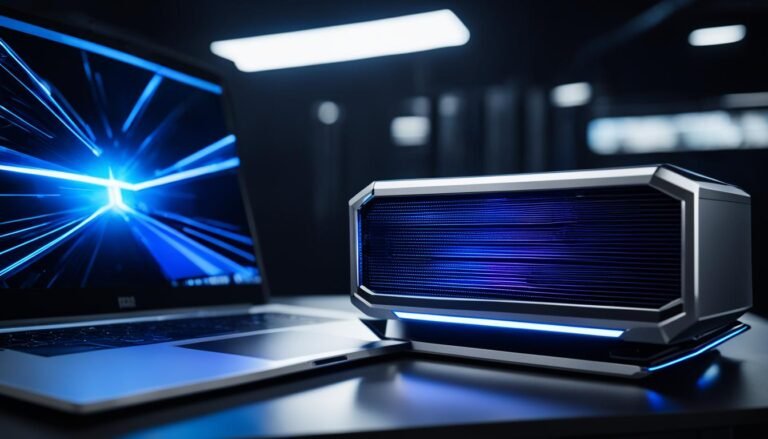
An external graphics processing unit (GPU), also known as an eGPU, is a device that connects to your computer externally, enhancing its graphics processing capabilities. It allows you to play games, edit videos, and render 3D graphics with improved performance. Not all computers are compatible with eGPUs, so it’s important to check your computer’s specifications before investing in one. However, if your laptop or desktop has a Thunderbolt™ 3 or USB-C port with support for external graphics, an eGPU can significantly enhance your gaming and graphical work experience.
Key Takeaways:
- An external GPU, or eGPU, enhances your computer’s graphics processing capabilities.
- It allows for improved performance in gaming, video editing, and 3D graphics rendering.
- Not all computers are compatible with eGPUs, so check your computer’s specifications.
- Thunderbolt™ 3 or USB-C ports with external graphics support are required for an eGPU.
- An eGPU offers a significant boost in graphics capabilities for compatible laptops and desktops.
How Does an External GPU Work?
An external GPU works by bypassing the limitations of your computer’s internal graphics card and providing a dedicated graphics processing unit (GPU) with its own power supply. It connects to your computer through a high-speed interface like Thunderbolt™ 3 or USB-C, offloading the graphics-intensive tasks from your computer’s internal components. This allows for improved graphics performance, smoother gameplay, faster rendering, and better overall graphical capabilities.
When your computer processes graphics-intensive tasks, such as gaming or video editing, the internal graphics card may struggle to handle the load, resulting in laggy performance or low-quality visuals. However, by connecting an external GPU, you can tap into the power of a dedicated graphics card that is specifically designed to handle these tasks.
By utilizing Thunderbolt™ 3 or USB-C connectivity, the external GPU establishes a high-speed connection with your computer, enabling it to communicate seamlessly with the dedicated graphics card. This connection bypasses the limitations of your computer’s internal architecture and leverages the enhanced capabilities of the external GPU.
When you launch a graphics-intensive application, the external GPU takes over the rendering and processing tasks. It offloads the burden from your computer’s internal graphics card and CPU, resulting in smoother gameplay, faster rendering times, and improved graphics quality.
“By connecting an external GPU, you can tap into the power of a dedicated graphics card that is specifically designed to handle graphics-intensive tasks.”
Not only does an external GPU enhance your computer’s graphical capabilities, but it also allows for future upgrades. Unlike internal graphics cards that may require replacing the entire system to upgrade, an external GPU can be easily swapped for a more powerful model as technology advances. This future-proofing aspect ensures that your system remains capable of handling the latest graphics-intensive applications.
Overall, an external GPU offers a versatile solution for enhancing your computer’s graphics performance. Whether you’re a passionate gamer or a professional working with resource-intensive software applications, an external GPU can provide the necessary power and capabilities to unlock the full potential of your computer.
Now that we understand how an external GPU works, let’s explore why you might need one in the next section.
Why Would You Need an External GPU?
If your computer’s built-in graphics card is not powerful enough to handle demanding tasks like gaming, virtual reality, or resource-intensive software applications, an external GPU can be a game-changer. With an external GPU, you can significantly enhance your system’s graphics capabilities, enabling smoother gameplay, faster rendering, and better overall performance.
An external GPU provides a convenient opportunity to upgrade your graphics card without replacing the entire system, making it a cost-effective solution for improving your computer’s graphics capabilities. This future-proofs your computer, ensuring it can handle upcoming graphics-intensive tasks.
Whether you’re a hardcore gamer, a virtual reality enthusiast, or someone who relies on resource-intensive software applications, an external GPU can take your experience to the next level. Here are some key reasons why you might need an external GPU:
Gaming
Gaming is a visually immersive and demanding activity that requires powerful graphics processing. Many modern games have high-resolution graphics, complex visual effects, and realistic 3D environments, all of which can strain a computer’s built-in graphics card. By connecting an external GPU, you can enjoy games at higher settings, with smoother frame rates and improved graphics quality.
Virtual Reality
Virtual reality (VR) is an emerging technology that relies heavily on graphics processing. VR applications simulate realistic virtual worlds that require a high level of graphical detail and responsiveness. A powerful external GPU can provide the necessary graphics processing power, enabling a seamless and immersive VR experience without any lag or visual artifacts.
Resource-Intensive Software Applications
Aside from gaming and virtual reality, certain software applications, such as video editing software, 3D modeling software, and CAD programs, demand significant graphics processing power. Performing tasks like rendering complex animations or editing high-resolution videos can be time-consuming and taxing on a computer’s built-in graphics card. An external GPU can significantly speed up these processes, reducing rendering times and improving overall productivity.
In summary, an external GPU is a valuable addition to your setup if you need to enhance your computer’s graphics capabilities for gaming, virtual reality, or resource-intensive software applications. It’s a cost-effective way to upgrade your system and future-proof it for upcoming graphics-intensive tasks.
Compatibility and Requirements for External GPU
Not all computers are compatible with external GPUs. To use an eGPU, your computer needs to have a Thunderbolt™ 3 or USB-C port with support for external graphics. It’s essential to check your computer’s specifications and compatibility before investing in an eGPU. Additionally, the operating system should have driver support for external GPUs. While eGPUs can be used with laptops, compatibility varies, so it’s important to ensure that your laptop has a compatible port before purchasing an eGPU.
When considering an external GPU, compatibility is crucial. Not all computers are equipped with the necessary ports to connect an external graphics processing unit (GPU). To use an eGPU, your computer must have either a Thunderbolt™ 3 or USB-C port. These ports provide the necessary bandwidth and power delivery for external graphics support.
“It’s essential to check your computer’s specifications and compatibility before investing in an eGPU.”
When checking your computer’s compatibility, ensure that the Thunderbolt™ 3 or USB-C port supports external graphics. Some ports may only be meant for data transfer or charging and may not have the required bandwidth or power delivery for an eGPU.
Additionally, it’s important to consider driver support for external GPUs. The operating system of your computer should have proper driver support to recognize and utilize the external graphics card effectively. Without driver support, the eGPU may not function correctly or may not be recognized by your computer.
While eGPUs can be used with laptops, compatibility may vary. Not all laptop models have Thunderbolt™ 3 or USB-C ports with external graphics support. It’s crucial to check your laptop’s specifications and ensure that it has a compatible port before investing in an eGPU.
Benefits of External GPU Compatibility:
- Improved graphics performance for laptops
- Enhanced gaming experience on compatible laptops
- Increased rendering speeds and efficiency for resource-intensive tasks
Checking compatibility and requirements before purchasing an external GPU ensures that you can fully utilize its capabilities and experience a significant boost in graphics performance. Investing in an eGPU that is not compatible with your computer or lacking driver support can result in a disappointing setup that fails to deliver the desired results.
It’s recommended to refer to your computer’s user manual or specifications sheet to determine if it has Thunderbolt™ 3 or USB-C support and external graphics compatibility. Additionally, consult the manufacturer’s website or support resources for updated driver information and compatibility lists.
By carefully considering compatibility and requirements, you can make an informed decision when purchasing an external GPU and maximize its potential to enhance your computer’s graphics performance.
Advantages of Using an External GPU
Using an external GPU offers several advantages. It enhances the graphics performance of your computer, allowing you to play games at higher settings and work with resource-intensive software applications. External GPUs can be easily upgraded without replacing the entire system, providing future-proofing. They offer versatility, as they can be used with multiple computers as long as they have compatible ports. Furthermore, setting up an eGPU is relatively straightforward, requiring minimal technical knowledge.
Enhanced Graphics Performance: An external GPU significantly improves the graphics performance of your computer. With an eGPU, you can enjoy smoother gameplay, higher frame rates, and better overall graphical quality. Whether you’re a gamer or a graphic designer, an external GPU can take your visuals to the next level.
Future-Proofing: Upgrading your computer’s internal graphics card can be a costly and time-consuming process. With an external GPU, you can easily upgrade your graphics performance without replacing the entire system. This allows you to stay up-to-date with the latest graphics technology and ensures your computer can handle future graphics-intensive tasks.
Versatility: External GPUs can be used with multiple computers as long as they have compatible ports. This means you can use the same eGPU with your laptop, desktop, or even a friend’s computer, providing versatility and convenience. Additionally, some eGPU enclosures offer support for different graphics cards, allowing you to choose the one that best fits your needs.
Easy Installation: Setting up an external GPU is relatively straightforward, even for those with minimal technical knowledge. Most eGPU enclosures come with detailed instructions, and the process typically involves connecting the enclosure to your computer’s compatible port and installing the necessary drivers. This means you can start enjoying enhanced graphics performance in no time.

Performance Boost with External GPU
The performance boost you can expect from using an external GPU depends on various factors, such as the graphics card you choose and the tasks you perform. In general, you can experience significant improvements in graphics-intensive activities like gaming, 3D rendering, and video editing.
An external GPU can provide a substantial increase in frame rates, making your gaming experience smoother and more enjoyable. With enhanced graphics processing power, you can play the latest games at higher settings, allowing for stunning visuals and more immersive gameplay.
When it comes to 3D rendering, an external GPU can significantly reduce rendering times, enabling you to complete projects faster. Whether you’re working on architectural models, animations, or visual effects, the additional graphics horsepower can streamline your workflow and boost productivity.
Video editing can also benefit from the performance boost offered by an external GPU. With faster rendering and transcoding capabilities, you can process and edit high-resolution footage more efficiently. This means less waiting time and a smoother editing experience, allowing you to focus on your creative vision.
Overall, an external GPU can enhance the graphics quality and performance of your computer, elevating your gaming, 3D rendering, and video editing capabilities. However, it’s important to choose a compatible and powerful graphics card that meets your specific requirements to maximize the performance boost.
Notable Performance Improvements
Here are some examples of the performance improvements you can expect from using an external GPU:
- Gaming: Higher frame rates, smoother gameplay, and improved graphical fidelity
- 3D Rendering: Reduced rendering times, faster project completion, and improved workflow efficiency
- Video Editing: Faster rendering and transcoding, smoother editing experience, and increased productivity
Choosing the Right Graphics Card
When selecting a graphics card for your external GPU, consider factors such as performance, compatibility, and budget. Opt for a card that offers a balance between price and performance, ensuring it meets the requirements of your gaming, 3D rendering, or video editing projects.
Ensure that the chosen graphics card is compatible with your external GPU enclosure and your computer’s interface (e.g., Thunderbolt™ 3, USB-C). Consult the manufacturer’s specifications and compatibility lists to make an informed decision.
Some popular external GPU enclosures include the Razer Core X Chroma, Sonnet eGFX Breakaway Box, and Akitio Node Pro. These enclosures provide the necessary power and connectivity options to support high-performance graphics cards.
“An external GPU can unlock the true potential of your computer, bringing a new level of performance to your favorite games, 3D projects, and video editing tasks. With the right graphics card and enclosure, you can turbocharge your creative workflow and immerse yourself in stunning visuals.”
Multiple External GPUs and Multi-GPU Setup
In some cases, you may want to take your graphics performance to the next level by utilizing multiple external GPUs. This setup, commonly known as multi-GPU or SLI/Crossfire, allows you to harness the combined processing power of several graphics cards, resulting in even better performance for your computer’s graphical tasks.
By incorporating multiple external GPUs, you can enjoy enhanced graphics capabilities and take on more demanding tasks with ease. Whether you’re gaming, rendering 3D graphics, or working on resource-intensive projects, a multi-GPU setup can significantly improve your overall performance.
However, it’s important to note that not all systems support this feature, and setting up a multi-GPU configuration requires additional configuration steps and compatibility checks.
Should your system support multi-GPU setups, you’ll need to ensure that the external GPUs are compatible and can work together seamlessly. Configuration methods may vary depending on the graphics card and system manufacturer, so consulting the documentation and resources specific to your hardware is highly recommended.
Once everything is properly configured, a multi-GPU setup can unlock a whole new level of graphical performance. You’ll experience smoother gameplay, faster render times, and an overall boost in graphical capabilities.
Benefits of a Multi-GPU Setup:
- Improved graphics performance: Combining the power of multiple external GPUs allows for significantly enhanced graphics processing capabilities, resulting in increased frame rates and smoother visual experiences.
- Enhanced gaming experience: A multi-GPU setup can handle even the most demanding games, delivering an immersive and lag-free gaming experience at higher resolutions and settings.
- Faster rendering times: Graphic designers, video editors, and 3D artists can benefit from reduced rendering times, allowing for more efficient workflows and quicker project turnaround.
- Increased scalability: As your graphics needs evolve over time, a multi-GPU setup offers the flexibility to scale up your performance by adding more external GPUs to your system.
When considering a multi-GPU setup, it’s crucial to research and understand the specific requirements and limitations of your hardware and software. Certain applications and games may not fully utilize the power of multiple GPUs, so it’s essential to ensure compatibility and performance benefits before investing in additional external GPUs.

External GPUs and Other Devices
Although external GPUs are primarily designed for use with computers, they can also be experimented with in other devices like gaming consoles. However, it is important to note that using external GPUs in gaming consoles is not officially supported by console models and requires advanced technical knowledge and modifications.
External GPUs can also be utilized for cryptocurrency mining, offering a significant increase in mining power and efficiency. Their parallel processing capabilities make them well-suited for machine learning and artificial intelligence applications as well.
If you’re considering using an external GPU in a gaming console or for cryptocurrency mining and machine learning, it’s crucial to ensure compatibility and understand the technical requirements before proceeding. Make sure you have the necessary expertise and knowledge to carry out the modifications and configurations needed for these alternative uses.
| Device | Possible Use |
|---|---|
| Gaming Console | Experimental use with advanced technical knowledge and modifications |
| Cryptocurrency Mining | Increased mining power and efficiency |
| Machine Learning | Utilization of parallel processing capabilities for AI applications |
It is important to carefully consider the potential risks, technical requirements, and compatibility issues associated with using external GPUs in these alternative scenarios. Proceeding with caution and seeking expert advice is advisable to ensure a successful and safe integration.
Conclusion
In conclusion, an external GPU for PCs is an excellent solution to improve graphics performance, whether you are a passionate gamer, need to handle resource-intensive software applications, or engage in 3D rendering and video editing. While external GPUs may not offer the exact performance of internal GPUs, they provide a significant boost to your computer’s graphics capabilities.
One of the major advantages of using an external GPU is its compatibility with laptops with weak built-in graphics cards. By connecting an external GPU, you can enhance your gaming experience and run graphics-intensive tasks smoothly. However, it’s important to consider compatibility, specifications, and performance requirements before purchasing an external GPU.
With careful consideration and proper setup, an external GPU can dramatically elevate your computer’s graphics to new heights. Whether you’re a gaming enthusiast who seeks improved frame rates and higher graphics settings or a professional in the field of rendering and video editing, an external GPU offers a viable solution to enhance your graphics performance.
Investing in an external GPU is a worthwhile choice for those looking to unleash the full potential of their PC’s graphics capabilities. By enhancing gaming experiences, rendering capabilities, and overall graphical work, an external GPU can take your computer’s performance to the next level.
FAQ
What is an external GPU?
An external graphics processing unit (GPU), also known as an eGPU, is a device that connects to your computer externally, enhancing its graphics processing capabilities.
How does an external GPU work?
An external GPU works by bypassing the limitations of your computer’s internal graphics card and providing a dedicated graphics processing unit (GPU) with its own power supply. It connects to your computer through a high-speed interface like Thunderbolt™ 3 or USB-C, offloading the graphics-intensive tasks from your computer’s internal components.
Why would you need an external GPU?
You might need an external GPU if your computer’s built-in graphics card is not powerful enough to handle demanding tasks like gaming, virtual reality, or resource-intensive software applications. An external GPU can significantly enhance your system’s graphics capabilities, enabling smoother gameplay, faster rendering, and better overall performance.
What are the compatibility and requirements for an external GPU?
To use an eGPU, your computer needs to have a Thunderbolt™ 3 or USB-C port with support for external graphics. It’s essential to check your computer’s specifications and compatibility before investing in an eGPU. Additionally, the operating system should have driver support for external GPUs.
What are the advantages of using an external GPU?
Using an external GPU offers several advantages. It enhances the graphics performance of your computer, allowing you to play games at higher settings and work with resource-intensive software applications. External GPUs can be easily upgraded without replacing the entire system, providing future-proofing. They offer versatility, as they can be used with multiple computers as long as they have compatible ports. Furthermore, setting up an eGPU is relatively straightforward, requiring minimal technical knowledge.
What performance boost can you expect from an external GPU?
The performance boost you can expect from using an external GPU depends on various factors, such as the graphics card you choose and the tasks you perform. In general, you can experience significant improvements in graphics-intensive activities like gaming, 3D rendering, and video editing. Frame rates in games can become smoother, rendering times can be reduced, and overall graphics quality can be enhanced.
Can you use multiple external GPUs and set up a multi-GPU configuration?
In some cases, it is possible to use multiple external GPUs with compatible systems. This setup, known as multi-GPU or SLI/Crossfire, allows you to combine the processing power of multiple graphics cards for even better performance. However, not all systems support this feature, and it requires additional configuration and compatibility checks.
Can external GPUs be used with devices other than computers?
While external GPUs are primarily designed for use with computers, it is possible to experiment with using them in other devices, such as gaming consoles. However, this is not officially supported by console models, and it requires advanced technical knowledge and modifications. External GPUs can also be used for cryptocurrency mining, as they can increase mining power and efficiency. Additionally, they are suitable for machine learning and artificial intelligence applications, leveraging their parallel processing capabilities.
What are the benefits of using an external GPU for your PC?
Using an external GPU provides a significant boost in graphics performance for computers, enhancing gaming experiences, rendering capabilities, and overall graphical work. Although they may not provide the exact performance of an internal GPU, they offer a viable solution for improving graphics capabilities, especially for laptops with weak built-in graphics cards.