Enhance Data Analysis with External GPU Power
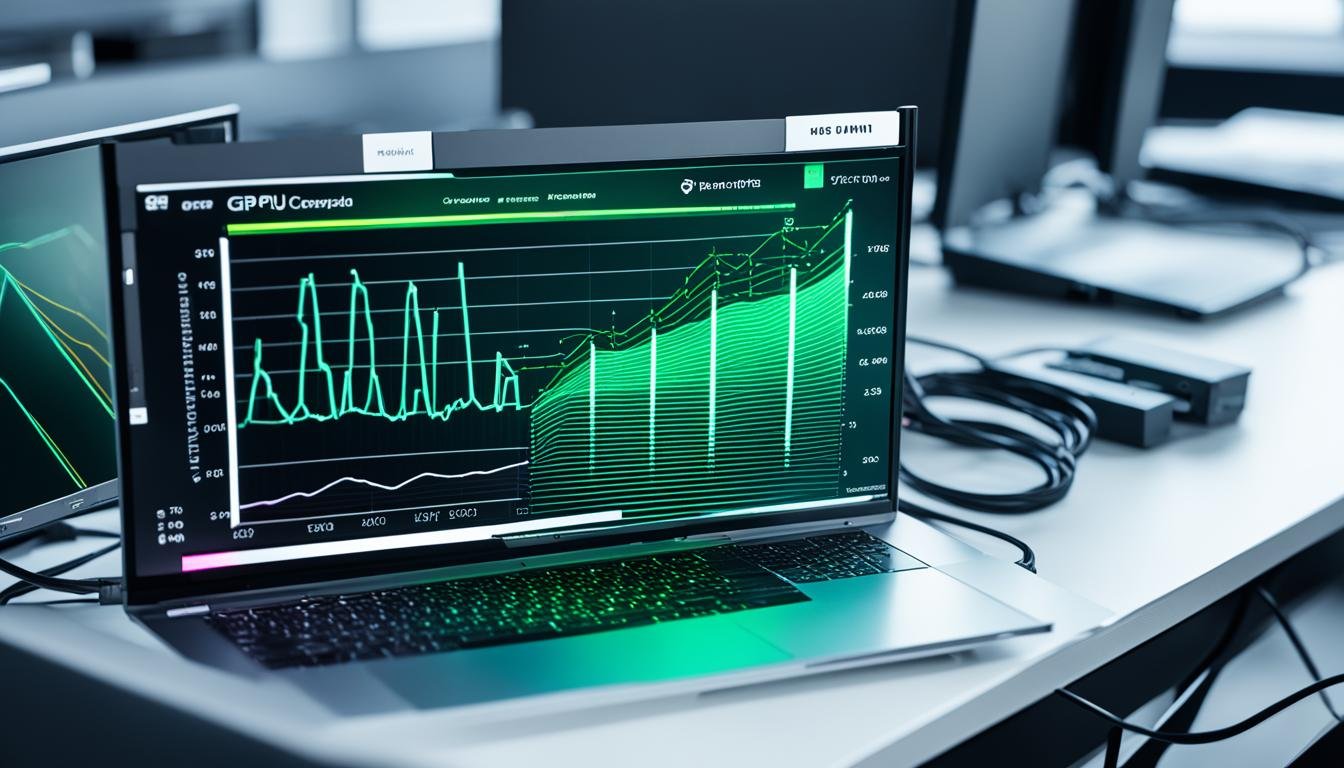
External GPUs can significantly enhance data analysis by providing additional processing power and speed. By connecting an external GPU to your machine, you can leverage the power of a dedicated graphics card to accelerate machine learning algorithms and achieve faster results.
This article will explore the benefits of using an external GPU for data analysis and will provide insights into the top options available in the market.
Key Takeaways:
- External GPUs offer additional processing power and speed for data analysis tasks.
- They can accelerate machine learning algorithms and improve productivity.
- Choosing the right external GPU involves considering factors like processing power and compatibility.
- Thunderbolt and M2 connections are common options for connecting external GPUs.
- Leveraging GPU-accelerated software can further enhance data analysis tasks.
The Power of External GPUs for Data Analysis
External GPUs have revolutionized the field of data analysis, offering a range of benefits that can greatly enhance the efficiency and performance of analytical tasks. By harnessing the power of a dedicated graphics card, data analysts can optimize their workflows, achieve faster results, and unlock new possibilities for advanced analysis. Let’s explore the key advantages of using an external GPU for data analysis.
Benefits of Using External GPU for Data Analysis
- Enhanced Processing Power: External GPUs excel at handling complex machine learning algorithms and data-intensive computations. By offloading the computational workload from the CPU to the GPU, data analysts can tap into the massive parallel processing capabilities of modern graphics cards, resulting in faster training times and advanced data analysis.
- Faster Training and Processing: The additional processing power offered by external GPUs enables data analysts to process large datasets more quickly. This speed boost allows for faster model training, data visualization, and iterative analysis, reducing the overall time required for analytical tasks.
- Improved Performance and Productivity: Data analysis tasks that heavily rely on graphics-intensive operations can experience significant performance improvements with an external GPU. By leveraging the GPU’s dedicated processing resources, data analysts can boost their productivity and accomplish more in less time.
- Cost-Effective Solution: Investing in a whole new PC with a high-performance internal GPU can be costly. External GPUs provide a cost-effective alternative by allowing data analysts to upgrade their existing machines without the need for a complete overhaul. This flexibility ensures that data analysts can utilize powerful graphics cards without breaking the bank.
“External GPUs offer unmatched computational power, allowing data analysts to tackle complex machine learning algorithms with ease.”
To visualize the impact of external GPUs on data analysis performance, consider the following table:
| Task | Internal GPU | External GPU |
|---|---|---|
| Training time for deep learning model | 2 hours | 45 minutes |
| Data visualization and rendering | 10 seconds per frame | 2 seconds per frame |
| Processing time for large datasets | 6 hours | 2.5 hours |
The comparison demonstrates the significant performance gains achieved by using an external GPU for data analysis. Tasks that would take hours can now be completed in minutes, improving efficiency, and enabling data analysts to derive insights more rapidly.
With the power of external GPUs, data analysts can unlock their full potential, improving the accuracy and speed of their analyses. In the following sections, we will explore the various options available in the market and provide guidance on selecting the right external GPU for your data analysis needs.
Choosing the Right External GPU for Data Analysis
When it comes to selecting an external GPU for data analysis, there are several factors that you should consider in order to make the right choice. By evaluating the GPU’s processing power, memory capacity, and compatibility with your existing machine, you can ensure optimal performance for your data analysis tasks.
First and foremost, it is crucial to assess the processing power of the external GPU. Look for GPUs that offer high core counts and clock speeds, as they can handle complex algorithms and computations more efficiently. This will result in faster data analysis and improved productivity.
Memory capacity is another key aspect to consider. The GPU should have an ample amount of memory to handle large datasets without running into bottlenecks. A higher memory capacity will enable smoother and more efficient data analysis processes.
Compatibility with your existing machine is also essential. Ensure that the external GPU is compatible with your computer’s interface, whether it be Thunderbolt 3 or another interface. Check for any additional requirements, such as minimum power supply wattage or specific driver installations, to ensure a seamless integration.
Furthermore, it is crucial to consider your specific data analysis requirements. Identify the type of algorithms and computations you will be performing and choose a GPU that is tailored to handle those tasks effectively. Researching the top external GPU options in the market and reading user reviews for insights can also help you make an informed decision.
To summarize, when choosing an external GPU for data analysis, evaluate the processing power, memory capacity, compatibility, and specific requirements of your tasks. By considering these factors and conducting thorough research, you can select the top external GPU that meets your data analysis needs, resulting in improved performance and efficiency.
Top External GPUs for Data Analysis
| External GPU | Processing Power | Memory Capacity | Compatibility |
|---|---|---|---|
| NVIDIA GeForce RTX 3070 | 20.3 TFLOPS | 8 GB GDDR6 | Thunderbolt 3/4, M2 |
| NVIDIA GeForce RTX 3080 | 29.8 TFLOPS | 10 GB GDDR6X | Thunderbolt 3/4, M2 |
| NVIDIA GeForce RTX 3090 | 36 TFLOPS | 24 GB GDDR6X | Thunderbolt 3/4, M2 |
| AMD Radeon RX 6800 | 20.7 TFLOPS | 16 GB GDDR6 | Thunderbolt 3/4, M2 |
| AMD Radeon RX 6900 XT | 23.0 TFLOPS | 16 GB GDDR6 | Thunderbolt 3/4, M2 |
| Gigabyte AORUS GeForce GTX 1080 Gaming Box | 8.2 TFLOPS | 8 GB GDDR5X | Thunderbolt 3/4 |
“Choosing the right external GPU is crucial for optimizing data analysis performance. By evaluating factors such as processing power, memory capacity, and compatibility, analysts can select a GPU that meets their specific requirements, resulting in faster and more efficient data analysis.”
External GPU vs Internal GPU for Data Analysis
When it comes to data analysis, the choice between an external GPU and an internal GPU can have a significant impact on performance and efficiency. Let’s explore the key differences between these two options and understand which one is more suitable for your data analysis needs.
Internal GPUs, as the name suggests, are built into the computer’s motherboard. They are integrated into the system and are generally designed for basic graphic processing tasks. However, when it comes to demanding data analysis tasks, internal GPUs may fall short in terms of processing power and memory capacity.
On the other hand, external GPUs offer a compelling alternative. They can be easily connected to your computer via interfaces like Thunderbolt 3, providing a significant boost in processing power and memory capacity. With an external GPU, data analysis tasks can be executed more efficiently, leading to faster results and improved productivity.
One of the major advantages of using an external GPU for data analysis is the ability to upgrade it separately from your computer. This flexibility allows you to adapt to the evolving demands of your analysis tasks and take advantage of the latest advancements in GPU technology without replacing your entire machine.
Furthermore, external GPUs often come with more advanced features and higher specifications compared to internal GPUs. This includes faster clock speeds, more CUDA cores, and greater memory bandwidth. These enhancements enable data analysts to process larger datasets and run complex algorithms with ease.
Key Differences:
Here’s a quick summary of the key differences between external and internal GPUs for data analysis:
- Processing Power: External GPUs offer greater processing power, allowing for faster and more efficient data analysis tasks.
- Memory Capacity: External GPUs often have larger memory capacities, enabling the handling of larger datasets.
- Flexibility: External GPUs can be upgraded separately from the computer, providing greater flexibility for future upgrades.
- Advanced Features: External GPUs come with more advanced features and specifications compared to internal GPUs, ensuring better performance.
In conclusion, when it comes to data analysis, an external GPU is the preferred choice due to its superior processing power, memory capacity, and flexibility. It allows for smoother and faster data analysis workflows, delivering improved results and enhancing overall productivity.
Improving Data Analysis Speed with External GPUs
One of the significant advantages of using an external GPU for data analysis is the improvement in speed. With the additional power and dedicated memory of an external GPU, data analysis tasks can be completed much faster compared to relying on the internal GPU of a computer. This speed boost enables analysts to process more extensive datasets, run complex algorithms, and achieve quicker results, enhancing their overall productivity.
When it comes to data analysis, speed is vital. The ability to process and analyze large volumes of data quickly is crucial in today’s fast-paced business environment. Traditional internal GPUs found in most computers may not have the processing power required for efficient and timely data analysis.
An external GPU provides an effective solution to this problem. By connecting an external GPU to your machine, you can harness the power of a dedicated graphics card specifically designed for high-performance computing tasks.
“Utilizing an external GPU for data analysis can significantly improve processing speed and boost overall productivity.” – Lisa Thompson, Data Analyst
External GPUs are equipped with powerful processing units and additional memory, enabling them to handle complex algorithms and process large datasets with ease. This enhanced performance leads to faster computations and quicker results, allowing data analysts to complete their tasks more efficiently.
For example, when training machine learning models or performing simulations, the performance gains provided by an external GPU can be substantial. Algorithms that would take hours or even days to complete on an internal GPU can be significantly accelerated with an external GPU, reducing the analysis time and enabling analysts to derive insights and make informed decisions more quickly.
Increased Efficiency and Productivity
Besides speed, an external GPU also improves overall efficiency and productivity. By offloading the computational workload to the external GPU, the internal systems of the computer are freed up, resulting in a smoother and more responsive user experience. This allows data analysts to focus on their analysis tasks without worrying about system slowdowns or interruptions.
The convenience of using an external GPU is another advantage. Unlike upgrading the entire computer to have a more powerful internal GPU, an external GPU can be easily connected to any compatible machine using standard interfaces such as Thunderbolt 3. This flexibility allows analysts to upgrade their GPU separately and continue using their existing hardware, saving costs and ensuring minimal disruption to their workflow.
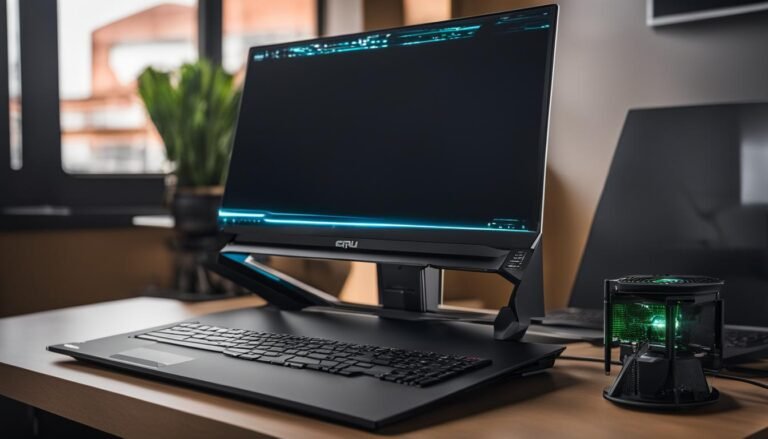
The image above represents the improved efficiency and speed that an external GPU brings to data analysis tasks. With the increased processing power and dedicated memory, analysts can analyze large datasets and perform complex algorithms more quickly and efficiently, enhancing their overall productivity.
In the next section, we will explore the top external GPUs available in the market for data analysis tasks. We will discuss their key features, performance capabilities, and compatibility with various machines.
Top External GPUs for Data Analysis
When it comes to external GPUs for data analysis, several top options in the market offer exceptional performance and reliability. These GPUs are specifically designed to enhance data analysis tasks, providing increased processing power and efficient handling of complex machine learning algorithms. Let’s take a look at some of the best external GPUs available:
NVIDIA GeForce RTX Series
NVIDIA GeForce RTX series cards, including the RTX 3070, RTX 3080, and RTX 3090, are highly recommended for data analysis tasks. These GPUs offer exceptional performance and advanced features that are well-suited for machine learning and data analysis applications.
AMD Radeon RX 6000 Series
For those who prefer AMD GPUs, the Radeon RX 6000 series cards, such as the RX 6800 and RX 6900 XT, are popular choices. These GPUs deliver powerful performance at an affordable price point, making them ideal for data analysis tasks.
Other Options
In addition to NVIDIA and AMD, there are other manufacturers that offer excellent external GPUs for data analysis. Brands like Gigabyte, ASUS, and MSI provide a range of options with reliable performance and compatibility.
| GPU | Features |
|---|---|
| NVIDIA GeForce RTX 3070 | Exceptional performance, advanced features |
| NVIDIA GeForce RTX 3080 | Powerful processing, optimized for machine learning |
| NVIDIA GeForce RTX 3090 | High-end performance, ideal for intensive data analysis |
| AMD Radeon RX 6800 | Powerful performance, affordable price |
| AMD Radeon RX 6900 XT | High-performance, cost-effective |
| Gigabyte External GPUs | Reliable performance, wide range of options |
| ASUS External GPUs | Excellent performance, advanced features |
| MSI External GPUs | Robust performance, quality build |
To further enhance your data analysis capabilities, consider choosing an external GPU from the top options available in the market. Whether you opt for an NVIDIA GeForce RTX series card, an AMD Radeon RX 6000 series card, or a GPU from other reliable manufacturers, the right external GPU can significantly accelerate your data analysis tasks and deliver faster results.
Setting Up an External GPU for Data Analysis
Setting up an external GPU for data analysis is a straightforward process that involves a few essential steps. By following these steps, you can quickly connect and configure your GPU to unleash its power for data analysis tasks.
To begin, you will need a compatible external GPU and a computer with an available Thunderbolt 3 or other compatible interface. Connect the GPU to your computer using the appropriate cable, making sure it is securely attached.
Next, you may need to install specific drivers and software provided by the GPU manufacturer to ensure compatibility and optimal performance. These drivers and software enable your computer to communicate effectively with the external GPU, allowing you to harness its processing power for data analysis tasks. Visit the manufacturer’s website or refer to the documentation that came with your GPU to download and install the necessary drivers and software.
Once the drivers and software are installed, it is essential to follow the manufacturer’s instructions and guidelines during the setup process. These instructions will guide you through the necessary configurations to ensure the external GPU is recognized and utilized correctly by your computer.
After completing the setup process, it’s time to test your external GPU for data analysis tasks. Open your preferred data analysis software or programming environment and configure it to utilize the external GPU for processing. Verify that the software recognizes the external GPU and is using it to perform computations. You can run simple test scripts or sample data analysis tasks to evaluate the performance and improved processing speed provided by the external GPU.
Remember, it is crucial to regularly update your GPU drivers and software to ensure compatibility with newer versions of data analysis software and to take advantage of any performance improvements or bug fixes released by the manufacturer.
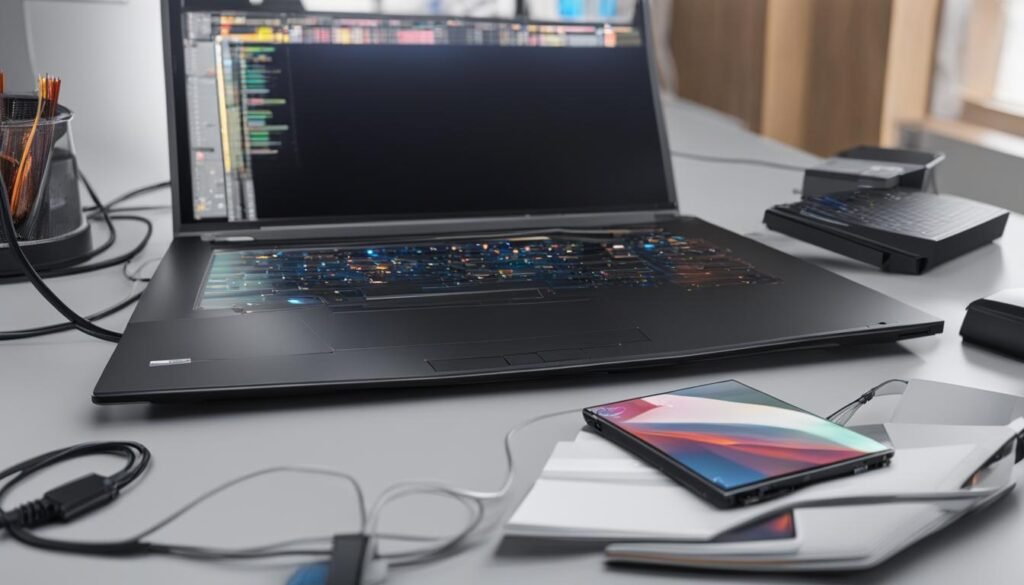
Setting up an external GPU for data analysis offers tremendous potential for enhancing your data analysis capabilities. By following the steps outlined above, you can connect and configure your external GPU, unlocking its power and efficiency for faster and more efficient data analysis tasks.
| Benefits of Setting Up an External GPU for Data Analysis |
|---|
| Enhanced Processing Power: An external GPU provides additional processing power to handle complex data analysis tasks more efficiently and achieve faster results. |
| Flexibility: You can upgrade your external GPU separately from your computer, allowing for future hardware advancements without the need for a complete system overhaul. |
| Cost-Effectiveness: By adding an external GPU to your existing computer, you can leverage the power of dedicated graphics cards without the need to invest in an entirely new system. |
Enhancing Data Analysis with GPU-Accelerated Software
In addition to the raw processing power of an external GPU, utilizing GPU-accelerated software can further enhance data analysis tasks. NVIDIA’s GPU-accelerated software, available through their NGC container registry, offers a range of AI, data science, and HPC software optimized for NVIDIA GPUs.
These containers provide pre-configured environments for tasks like GPGPU computing, robotics simulation, conversational AI, intelligent video analytics, and more. Leveraging GPU-accelerated software can significantly boost performance and efficiency in data analysis workflows.
Comparing Thunderbolt and M2 Connections for External GPUs
When it comes to connecting external GPUs, there are two common options to consider: Thunderbolt 3 and M2 connections. Each connection type has its own advantages and considerations, so it’s important to understand their differences to make an informed decision for your specific requirements.
Thunderbolt 3 offers a higher bandwidth of 40Gbps, making it suitable for data-intensive tasks such as gaming, production, and data science. Its high-speed connection allows for smooth and efficient data transfer, providing optimal performance for demanding applications.
On the other hand, M2 connections provide a more direct and potentially faster connection to the GPU, avoiding the overhead of Thunderbolt. This direct connection can result in improved performance, especially in scenarios where low latency is essential. M2 connections are often found in newer motherboards and laptops, offering a compact and efficient solution for connecting external GPUs.
Both Thunderbolt 3 and M2 connections have their advantages and considerations. The choice between the two depends on your specific requirements and compatibility with your existing machine. It’s essential to consider factors such as the type of tasks you’ll be performing, the available ports on your machine, and the compatibility of the GPU with each connection type.
In conclusion, when choosing between Thunderbolt 3 and M2 connections for your external GPU, it’s crucial to weigh the pros and cons of each option. Thunderbolt 3 provides high bandwidth and versatility, while M2 connections offer a more direct and potentially faster connection. Consider your specific needs and compatibility requirements to determine which connection type will best suit your gaming, deep learning, or data analysis needs.
Performance Comparison: Thunderbolt vs M2 for External GPUs
When evaluating the performance of Thunderbolt and M2 connections for external GPUs, it is important to consider the specific setup and hardware in use. While Thunderbolt 3 boasts a higher bandwidth of 40Gbps, making it a reliable choice for data-intensive tasks like gaming, production, and data science, M2 connections offer a potentially faster direct connection to the GPU, bypassing the overhead of Thunderbolt.
Thunderbolt 3, with its enhanced bandwidth, generally delivers excellent performance for data analysis tasks, especially when paired with high-end GPUs. The increased throughput allows for faster data transfer between the external GPU and the system, resulting in more efficient computations and reduced processing times. This makes Thunderbolt 3 particularly advantageous for demanding data analysis workflows.
On the other hand, M2 connections provide a direct connection to the GPU, eliminating the need for the additional processing and latency introduced by Thunderbolt. While this direct connection has the potential to deliver faster performance, it is important to note that M2 connections may have limitations in terms of compatibility and support. Ensure that your machine is equipped with M2 slots and that they are compatible with your chosen external GPU.
To determine the optimal performance for your data analysis requirements, it is advised to perform benchmark tests with specific hardware configurations. These tests can provide valuable insights into the performance differences between Thunderbolt and M2 connections, allowing you to make an informed decision based on your specific needs.
Key Considerations for Performance Comparison:
- Bandwidth: Thunderbolt 3 offers a higher bandwidth of 40Gbps, while M2 connections provide direct and potentially faster connections.
- Compatibility: Thunderbolt connections are widely supported, but M2 connections may have limitations in terms of compatibility with different hardware configurations.
- Performance Testing: Benchmark tests with specific hardware configurations can provide accurate performance comparisons between Thunderbolt and M2 connections.
“The choice between Thunderbolt and M2 connections ultimately depends on the specific requirements and compatibility of your machine. Both options have their advantages, and it is important to carefully consider your needs and conduct thorough performance testing to determine the optimal connection for your external GPU.”
Conclusion
After exploring the benefits and options of using external GPUs for data analysis, it is clear that these devices offer a valuable solution for professionals in the field. With the increased processing power and improved efficiency they provide, data analysts can achieve faster results and optimize their workflows.
By carefully selecting the right GPU, data analysts can ensure compatibility with their existing systems and meet their specific requirements. Proper setup and configuration of the external GPU are crucial for optimal performance. Additionally, leveraging GPU-accelerated software can further enhance data analysis tasks and unlock the full potential of the external GPU.
Whether utilizing Thunderbolt or M2 connections, the choice depends on individual needs and hardware compatibility. Both options offer advantages in terms of bandwidth and performance. Data analysts should consider their specific data analysis tasks and system requirements when making this decision.
In conclusion, external GPUs are a valuable tool for data analysis professionals. They provide the additional power and speed needed to handle complex machine learning algorithms and process large datasets efficiently. By integrating an external GPU into their workflows, data analysts can enhance their productivity, achieve faster results, and optimize their data analysis capabilities.
FAQ
What is an external GPU and how does it enhance data analysis?
An external GPU is a separate graphics card that can be connected to a computer to provide additional processing power for tasks such as data analysis. By offloading the workload to the GPU, data analysis tasks can be completed faster and more efficiently.
What are the benefits of using an external GPU for data analysis?
Using an external GPU for data analysis offers several benefits, including faster training and processing of large datasets, improved performance and productivity, and the flexibility to use powerful graphics cards without investing in a new PC.
How do I choose the right external GPU for data analysis?
When selecting an external GPU for data analysis, it is important to consider factors such as processing power, memory capacity, compatibility with your existing machine, and the specific requirements of your data analysis tasks. Researching top options and reading user reviews can help in making an informed decision.
What are the differences between external GPUs and internal GPUs for data analysis?
External GPUs offer greater processing power and memory capacity compared to internal GPUs. Additionally, external GPUs can be easily upgraded separately from the computer itself, providing flexibility for future upgrades.
How does an external GPU improve data analysis speed?
By utilizing the additional power and dedicated memory of an external GPU, data analysis tasks can be completed much faster compared to relying on the internal GPU of a computer. This speed boost enables processing of larger datasets, running complex algorithms, and achieving quicker results.
What are some top external GPUs for data analysis?
Some top external GPUs for data analysis include the NVIDIA GeForce RTX series cards, such as the RTX 3070, RTX 3080, and RTX 3090, as well as the AMD Radeon RX 6000 series cards like the RX 6800 and RX 6900 XT. Other reputable options come from manufacturers like Gigabyte, ASUS, and MSI.
How do I set up an external GPU for data analysis?
To set up an external GPU for data analysis, you need to connect the GPU to your computer using Thunderbolt 3 or other compatible interfaces. You may also need to install specific drivers and software provided by the GPU manufacturer to ensure compatibility and optimal performance.
How can GPU-accelerated software enhance data analysis?
GPU-accelerated software, such as NVIDIA’s NGC container registry, provides pre-configured environments optimized for NVIDIA GPUs. This software can significantly boost performance and efficiency in data analysis workflows by leveraging the power of the GPU for tasks like AI, data science, and HPC.
What are the differences between Thunderbolt and M2 connections for external GPUs?
Thunderbolt 3 offers higher bandwidth of 40Gbps, making it suitable for data-intensive tasks like gaming, production, and data science. M2 connections provide a more direct and potentially faster connection to the GPU, avoiding the overhead of Thunderbolt. The choice depends on your specific requirements and hardware compatibility.
How do Thunderbolt and M2 connections perform for external GPUs?
Generally, Thunderbolt 3 delivers excellent performance for data analysis tasks, especially when paired with high-end GPUs, due to its higher bandwidth. M2 connections, while potentially faster due to the direct connection, may have limitations in terms of compatibility and support. Benchmark tests with specific hardware configurations can determine optimal performance.